Guide3 min read
How to add a timer to a workout video you already filmed
Already filmed your workout? Open it in SweatCut, click Mark where each exercise and rest starts, and a countdown lands on every one. Or let auto-edit do it.
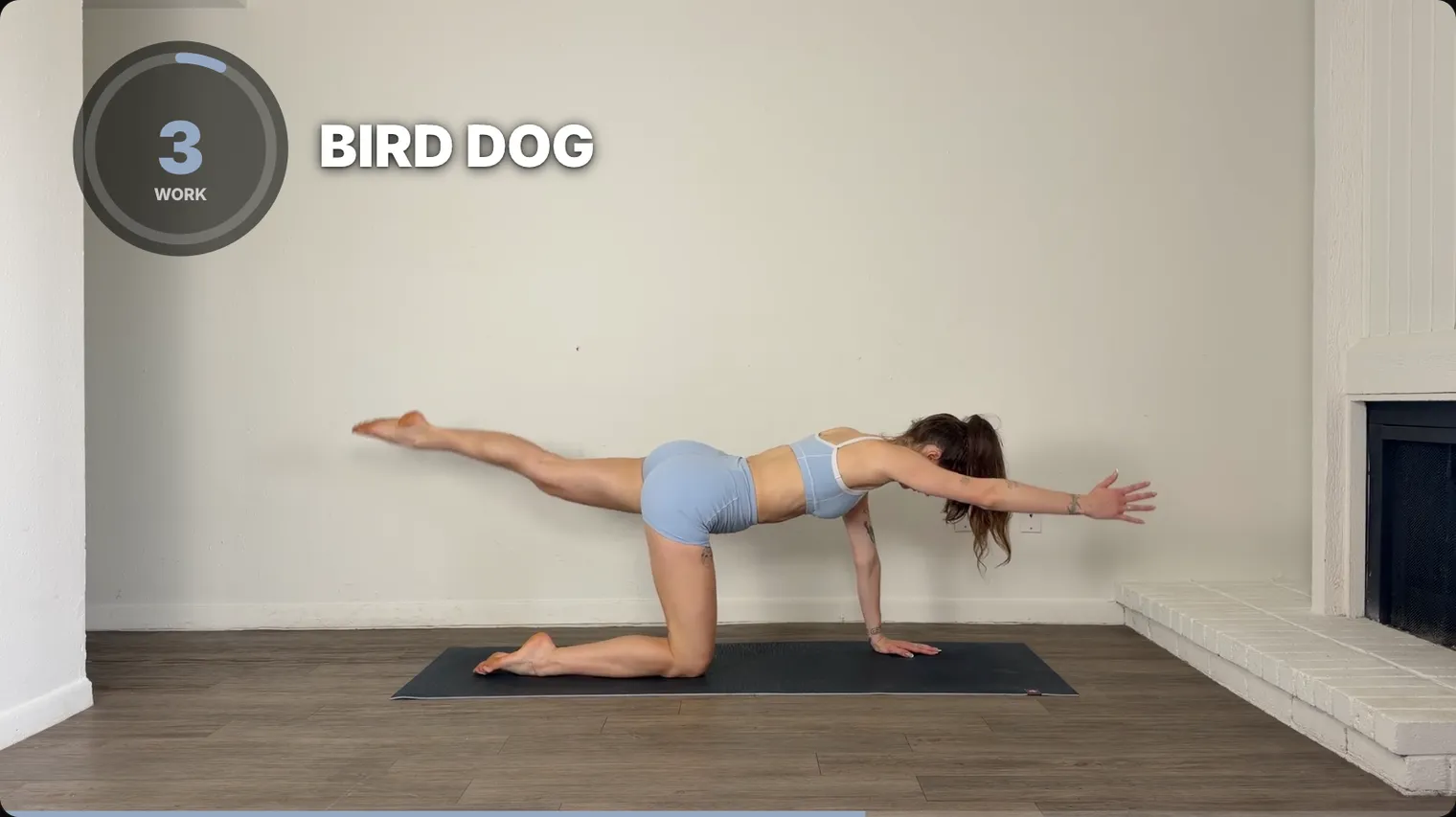
Filmed your workout and now it needs a timer? In SweatCut you click Mark where each exercise and rest starts, and a countdown lands on every one. It shows the exercise name too, and beeps for the last three seconds.
In a regular editor, a countdown means a separate title for every second, a paid plugin, or a green-screen timer laid over your footage, repeated for every exercise and rest in the workout and again on the next video. SweatCut skips all of that.
Don’t feel like clicking? Auto-edit can mark the whole workout for you.
1. Drop your video in
In Workouts, click New workout (or press ⌘N). Then drag your recording onto the box that says Drop your recording here.
2. Add the timers
Mark them as it plays
- Click the Segments icon in the column to the right of the video.
- Press Space to play.
- When the first exercise starts, click Mark under the video (or press M). A timer appears on the video.
- Click Mark again each time an exercise or rest starts.
- For each rest, click Exercise at the left of its row and change it to Rest.
- Click each name, like Exercise 1, and type the real one. Tab jumps to the next.
Or let auto-edit do it
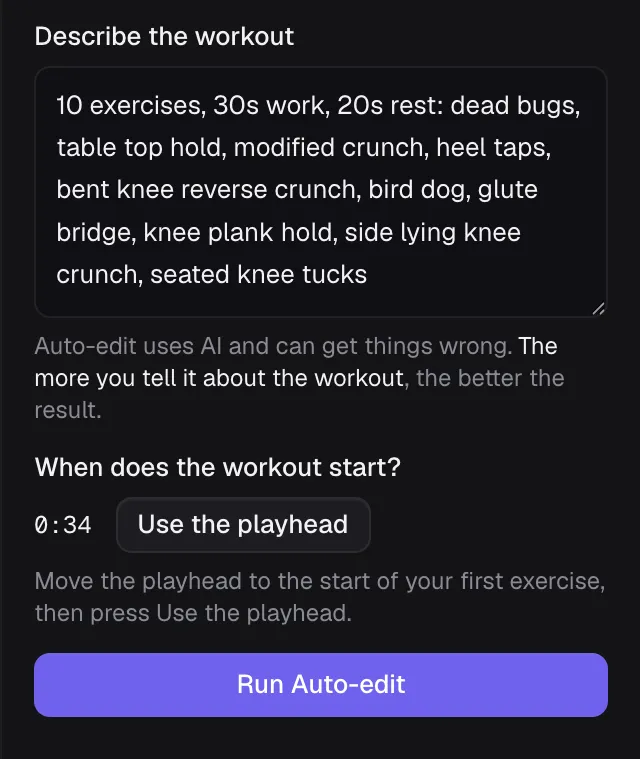
Auto-edit watches your video and adds a timer and a name for every exercise and rest.
- Type what you filmed into Describe the workout. The more detail, the better.
- Go to the moment the workout starts and press Use the playhead.
- Press Run Auto-edit, and when it’s done, press Apply draft.
You can change anything it got wrong afterwards. The auto-edit tutorial walks through each step.
3. Cut out the bits you don’t want
Cut out the water breaks and restarts. The timers update on their own, so there’s nothing to fix. If you cut part of an exercise, its timer gets shorter to match.
Edit your first workout shows how to make a cut.
What the timer does on screen
It counts down, so people always know how long is left. The last three seconds beep, so anyone in a plank who can’t see the screen still hears the change coming, and the number turns your brand colour.
The exercise name sits next to the timer. During each rest, a small window plays the next exercise so people can get ready. Add music and it dips under every beep, then comes back up.
Make it yours
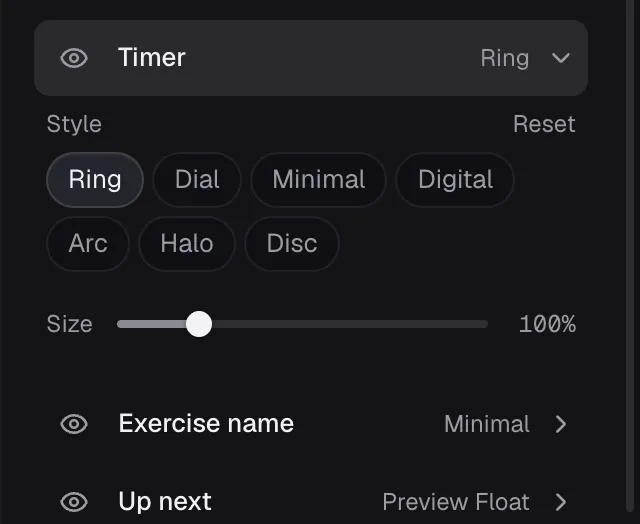
Pick a timer style, like Ring or Minimal, and drag the timer anywhere on the screen. Then set up your brand so your logo, colour and timer layout are there on every new workout.
What it costs
Try it free on one full workout, auto-edit included, with no card needed. After that, Starter is $19 a month and includes the timers. Auto-edit comes with Standard ($49 a month at launch, normally $99) and Pro ($199 a month). SweatCut runs on Mac. If you’re still picking an editor, see the best video editors for fitness creators.
Want the whole process, from planning to posting? See how to make a follow-along workout video.
Questions
Can I add a timer to a workout video I already recorded?
Yes. Open the video in SweatCut and click Mark each time an exercise or rest starts, or let auto-edit mark it for you. A countdown timer lands on every one.
Should a workout video timer count up or count down?
Count down. People want to know how much time is left, and a countdown lets you warn them before each change.
What happens to the timers if I cut part of the video out?
In SweatCut they update on their own. If you cut part of an exercise, its timer gets shorter to match.
Can I try SweatCut for free?
Yes. The free trial covers one full workout, auto-edit included, and needs no card. SweatCut is a Mac app.