ComparisonCapCut4 min read
CapCut vs SweatCut for workout videos
CapCut is great for Reels and Shorts. For full follow-along workouts, SweatCut puts every timer, exercise name and up next on the video for you.
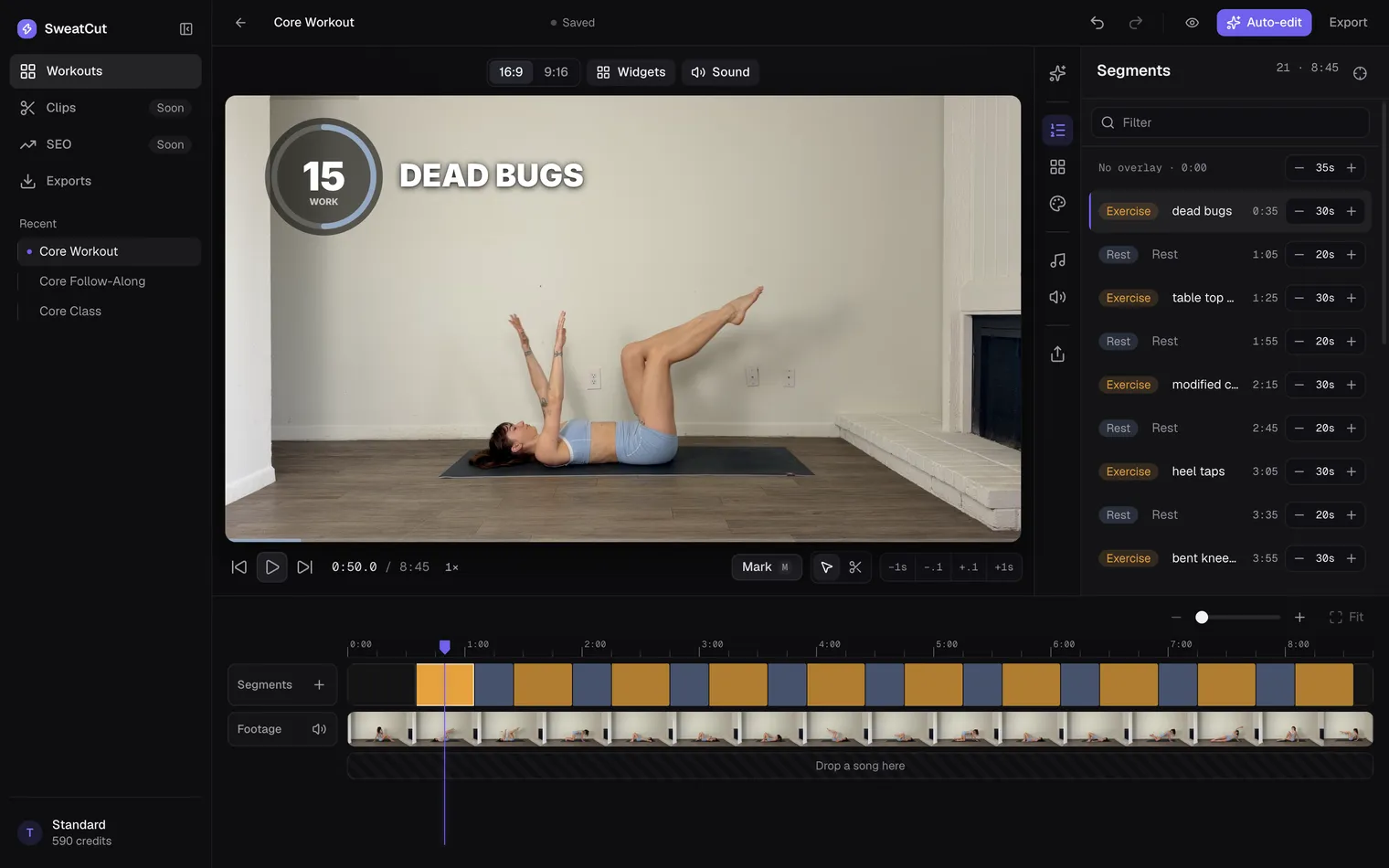
CapCut is a great free editor, and it’s where a lot of fitness creators start. For Reels, TikToks and Shorts, it’s hard to beat.
A full follow-along is a different job. It needs a timer on every exercise and rest, the exercise names, an up-next preview and music that makes room for the beeps. SweatCut does all of that for you.
The quick answer
| CapCut | SweatCut | |
|---|---|---|
| Best for | Reels, TikToks and Shorts | Full follow-along workouts |
| Workout timers | Templates and stickers you add one by one | On every exercise and rest, placed for you |
| Exercise names | Text you type in | Filled in from the marks |
| Runs on | Phone, Windows, Mac and the web | Mac |
| Price | Free to start | Free for one workout, then from $19 a month |
Why a follow-along is a bigger job
Say you film 10 exercises, three rounds, with a rest after each one. That’s 60 intervals, and every one needs its own countdown, exercise name, up-next clip and beeps, starting on the right second.
In CapCut you add every one of those yourself, as templates, stickers and text, then line each up with its interval. Cut out a mistake and everything after it shifts, so you line it all up again. And the next video starts from scratch.
That’s fine for a 60-second Reel. On a 30-minute workout, it’s hours of the part of the job creators dread most.
What SweatCut does for you
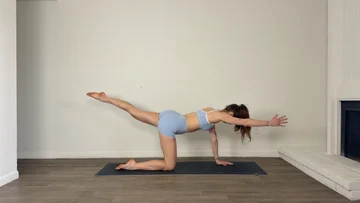 Your recording
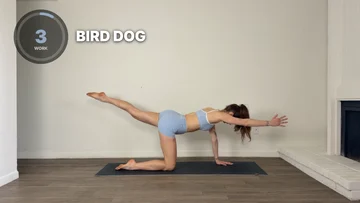 In SweatCut
It finds the exercises
Tell auto-edit what you filmed, like “10 exercises, 30 seconds on, 20 off”. It watches your video and marks every exercise and rest by name. You look it over and apply.
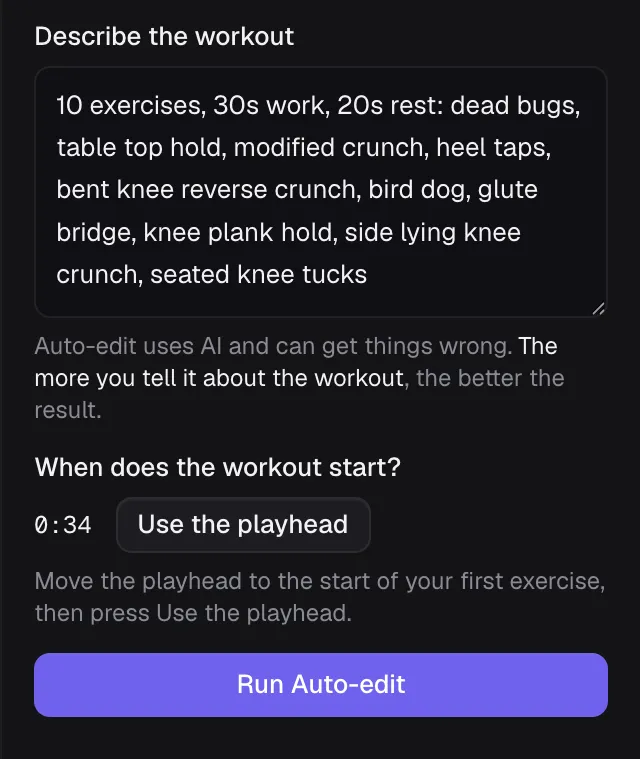
Auto-edit comes with Standard and Pro, and the free trial lets you try it. On Starter you mark the workout yourself, pressing M as each exercise and rest starts.
Every timer and name lands in place
Mark the workout once and the countdown, the exercise name and the up next land on the right moment, all the way through. The last three seconds of every exercise and rest beep, so people on the mat hear the change coming. Add an intro and an outro from the Graphics panel to open and close the video in your brand.
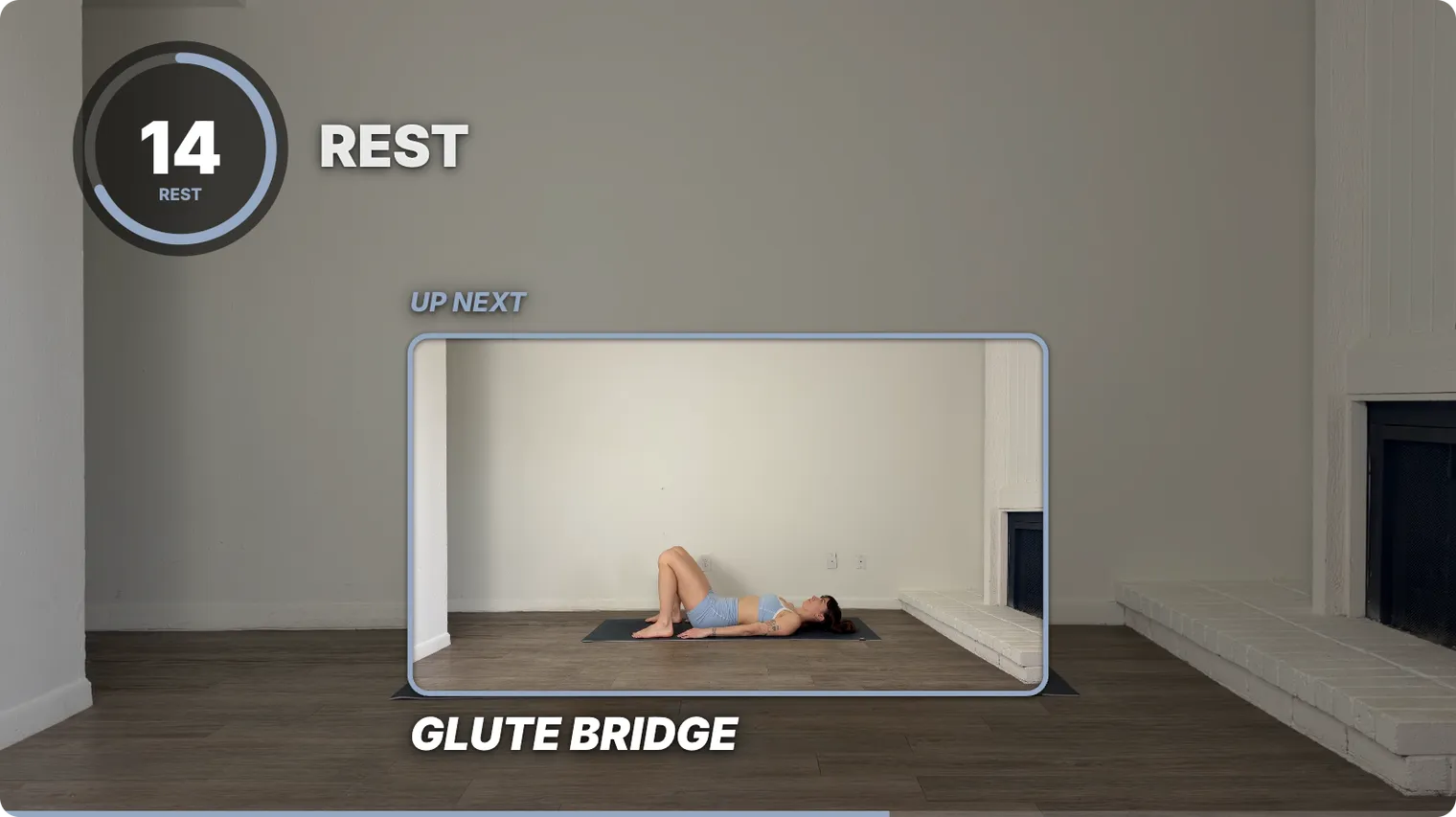
Up next, playing during every rest
While people catch their breath, a little window plays the move that’s coming, so they’re ready when the rest runs out.
Music that makes room for the beeps
Drag your own songs onto the timeline. They dip under every countdown and come back up on their own. Switch on Auto ducking in the Sound panel, and SweatCut also turns the music down while you talk and brings it back up when you stop. More on the music.
Where CapCut is the better pick
- Short clips for TikTok, Reels and Shorts are what it’s made for.
- It’s free, and it runs on your phone, a Windows PC, a Mac or the web. SweatCut is Mac only.
- It adds captions, and it has a big library of templates and effects.
You can also use both. Finish the full workout in SweatCut, then take the export into CapCut for captions or short clips.
What each one costs
CapCut is free to start. As of September 2026 it lists Pro at $19.99 a month or $179.99 a year, and says the price depends on your region and platform. On a long follow-along, though, a free editor still costs you the hours it takes to build every timer by hand.
SweatCut:
- Free trial: one full workout, auto-edit included. No card needed.
- Starter, $19 a month: the full editor, and you mark the workout yourself.
- Standard, $49 a month at launch (normally $99): everything in Starter, plus auto-edit.
- Pro, $199 a month: for channels posting most days of the week.
Pay yearly and you get two months free.
Every tier exports up to 4K with no watermark. Cancel any time, and every video you’ve exported stays on your Mac as an MP4, yours to keep. See the full pricing.
So which should you pick?
If most of your videos are short clips, CapCut has you covered. If you make full follow-along workouts on a Mac, SweatCut takes the timers and music off your plate, and the free trial covers your first workout. Weighing up more than these two? See the best video editors for fitness creators.
Questions
Does CapCut have a workout timer?
CapCut has timer templates and countdown stickers that you add to the video yourself. On a long follow-along, that means adding one for every exercise and rest.
Is CapCut free?
Yes, CapCut is free to start. As of September 2026 it lists Pro at $19.99 a month or $179.99 a year, and says prices vary by region and platform.
What is the best CapCut alternative for workout videos?
For full follow-along workouts on a Mac, SweatCut. It puts a countdown timer, the exercise name and an up-next preview on every interval for you.
Can SweatCut add captions?
No, SweatCut doesn't do captions or subtitles. CapCut does, so you can finish the workout in SweatCut and add captions in CapCut.