GuideCapCut · Fit Cut Pro · Descript · DaVinci Resolve · Final Cut Pro · Adobe Premiere · iMovie6 min read
The best video editor for fitness creators in 2026
Making follow-along workouts? SweatCut does the whole edit for you: timers, exercise names, up next, branding and music. Plus the best picks for everything else.
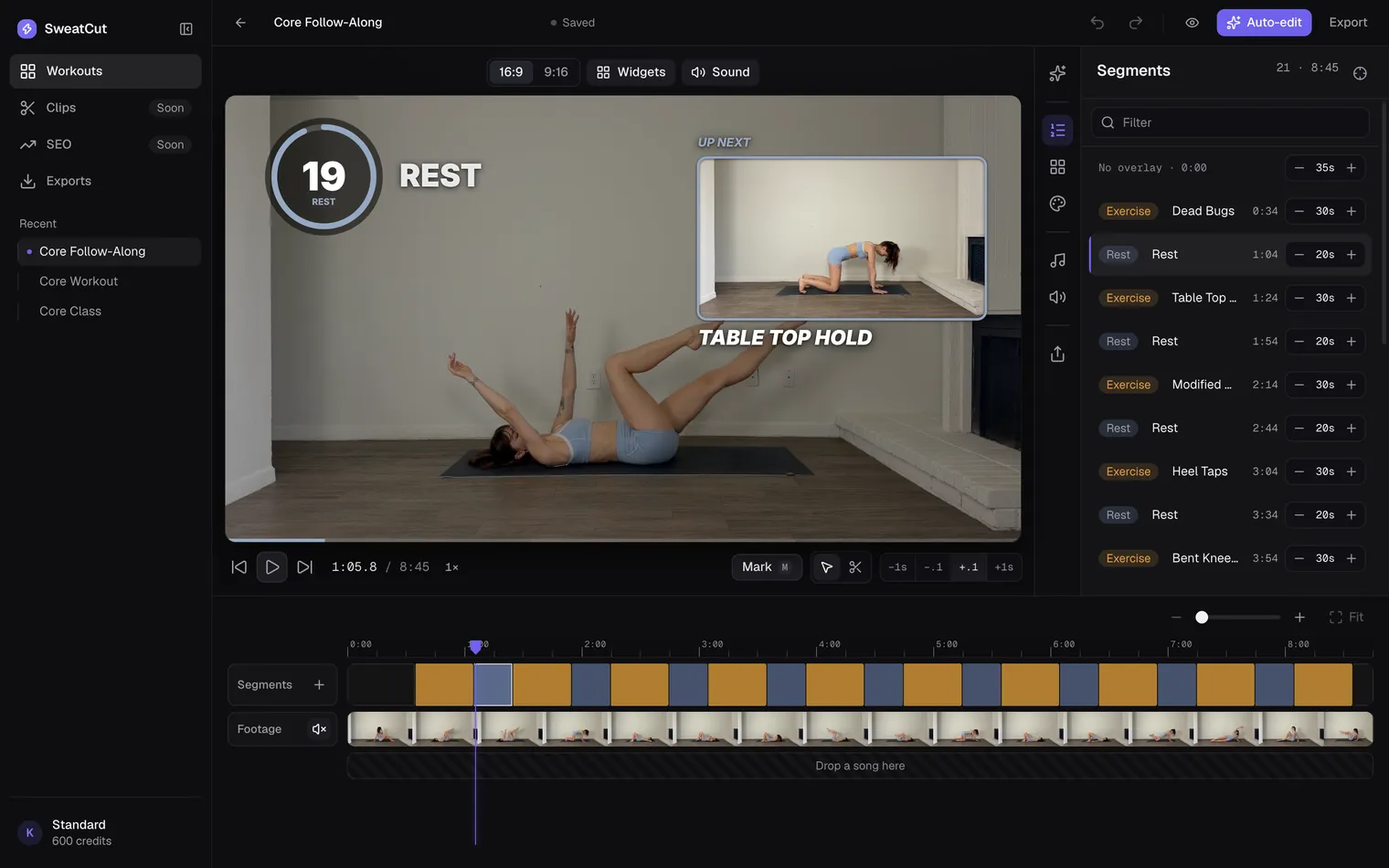
If you film follow-along workouts, SweatCut is the editor to get (and yes, we make it). It was built for exactly this kind of video, and it does the whole edit for you: the cuts, a timer on every exercise and rest, the exercise names, the up-next preview, your branding and the music. Other editors leave every piece of that to you, on every single video.
The quick answer
| If you make | Go with |
|---|---|
| Follow-along workouts | SweatCut |
| Reels, TikToks and Shorts | CapCut |
| Live classes on Zoom | Fit Cut Pro |
| Talking-head coaching | Descript |
| Big productions with full control | DaVinci Resolve, Final Cut Pro or Premiere |
| Quick, simple edits for free | iMovie |
Why follow-alongs take hours in a normal editor
Any editor can make a follow-along. Here’s what it takes when the editor wasn’t built for one:
- A countdown on every exercise and every rest. The usual advice is a separate title for every second, a paid plugin, or a green-screen timer laid over your footage. As one creator put it, “the most basic plugins like a timer, cost $50 each”.
- The exercise name, typed out and lined up with each interval.
- An up-next clip before every exercise, cut from later in the video and placed by hand.
- A beep on the last three seconds, with the music pulled down under every one.
- Your logo, colours and font, set on every one of those titles.
A 30-minute workout has around 60 intervals, so that’s hundreds of pieces, each lined up to the second. Cut out one mistake and everything after it slides, so you line it all up again. Then the next video comes along with new timings, and you build the whole thing from scratch.
No wonder so many creators dread the edit. One asked Reddit for a tool with the countdown already built in, “not that I have to make a million layers first.”
Why SweatCut is the pick for follow-alongs
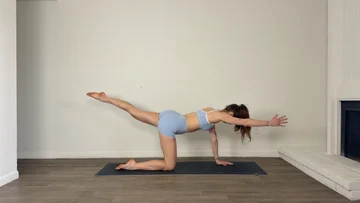 Your recording
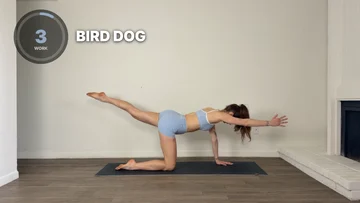 In SweatCut
It finds every exercise for you
Tell auto-edit what you filmed, like “10 exercises, 30 seconds on, 20 off”. It watches your video and marks every exercise and rest by name. Look it over, tweak anything you like, and apply.
Every timer, name and up next, placed for you
Mark the workout once and everything lands in the right spot, all the way through. The last three seconds of every exercise and rest beep, so people on the mat hear the change coming. During each rest, a little window plays the next exercise.
Music that makes room for the beeps
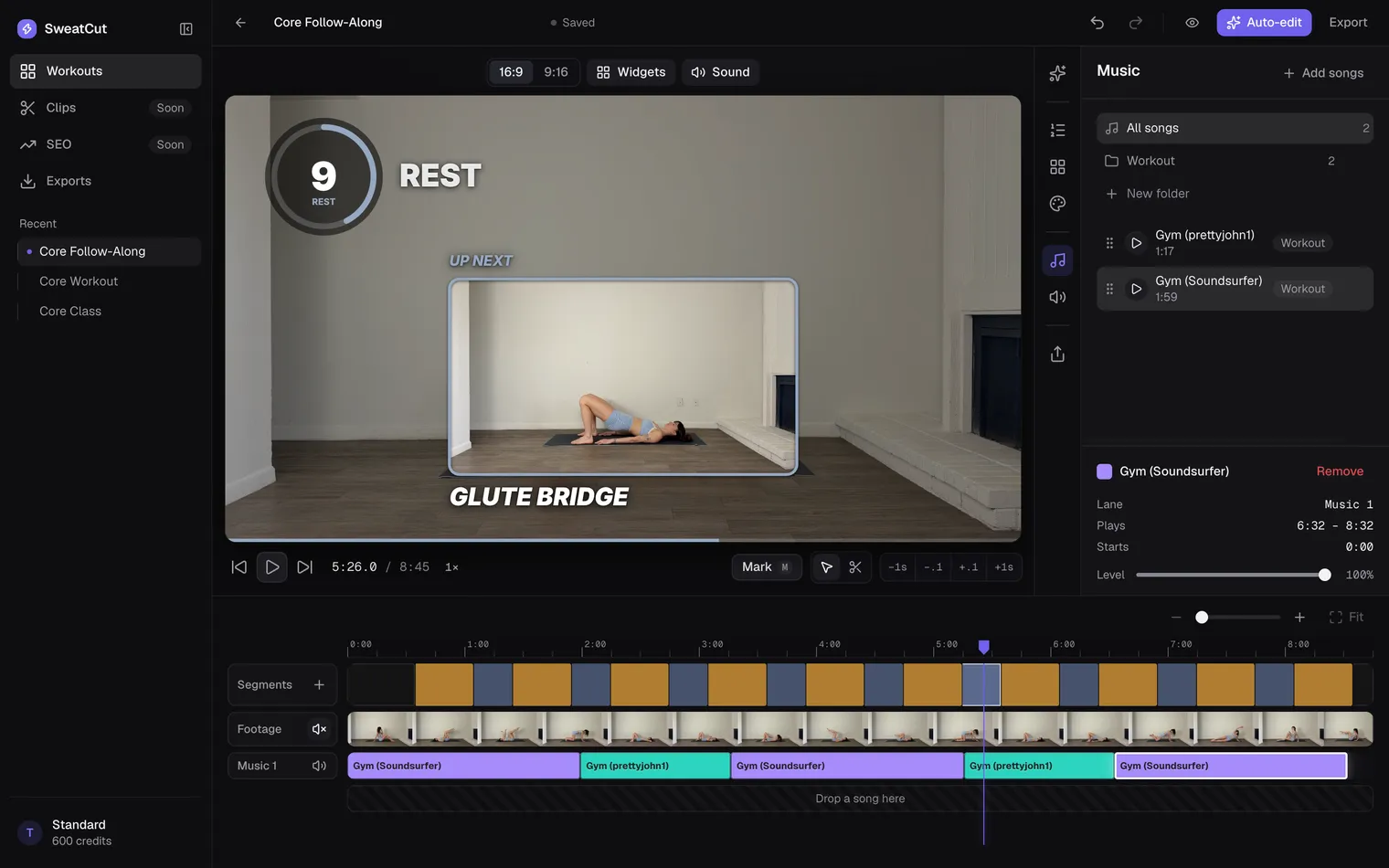
Drag your songs onto the timeline. They dip under every countdown and come back up on their own, so you never have to ride the volume. Switch on Auto ducking in the Sound panel, and SweatCut also turns the music down while you talk and brings it back up when you stop.
Make it look like your channel
Every widget is yours to customize. Most come in several styles, and the timer has seven. Choose how the timer and the exercise name look, where up next plays, and your colour, font and logo, then drag each widget wherever you want it on the video. Set it up once, and every new workout opens looking like your channel. Open and close each video with an intro and an outro in your brand.
Film in one take, cut the mistakes later
Keep the camera rolling through water breaks and restarts. Cut them out afterwards and the timers adjust themselves. Changed your mind? ⌘Z brings anything back.
Your videos stay private
These are your videos. SweatCut edits them right on your Mac, so you never hand them over to somebody else’s cloud. Your footage and your finished videos stay in folders on your Mac, where only you can get to them.
“Editing used to take me three hours a video. Now it takes ten minutes, and I don’t dread it anymore.”
Bella Forbes, fitness creator
What SweatCut costs
Start free. Your first full workout costs nothing, auto-edit included, and you don’t need a card.
- Free trial: one full workout, auto-edit included. No card needed.
- Starter, $19 a month: the full editor, and you mark the workout yourself.
- Standard, $49 a month at launch (normally $99): everything in Starter, plus auto-edit.
- Pro, $199 a month: for channels posting most days of the week.
Pay yearly and you get two months free.
Every tier exports up to 4K with no watermark. Cancel any time, and every video you’ve exported stays on your Mac as an MP4, yours to keep. See the full pricing.
For scale: one creator found a single timer plugin costs $50, for one widget. Every SweatCut tier includes all of them.
Not making follow-alongs? What to use instead
CapCut: best for Reels, TikToks and Shorts
Free, and it runs on your phone, your computer or in a browser. It’s great for short clips. For a full follow-along, though, every timer, exercise name and up next is yours to add and line up, on every video.
Fit Cut Pro: best for live classes
Its Zoom app puts a timer and graphics on a class while you teach it live. It can also build a workout video from a library of exercise clips.
Descript: best for talking-head coaching
You edit the video by editing its transcript, which makes it handy for tips, form breakdowns and course lessons.
DaVinci Resolve, Final Cut Pro and Premiere: best for big productions
These can make anything you can picture, and Resolve is free. Every countdown, name and up next is yours to build, often in a second app like After Effects or Resolve’s Fusion page, and you rebuild it for every video.
iMovie: best for quick, free edits
Free on every Mac, iPhone and iPad, and good for simple videos. It doesn’t come with a workout timer.
So which one should you pick?
If your videos are follow-alongs, pick SweatCut. It does the whole edit for you, and you can try it free on your next workout.
Questions
What is the best video editor for workout videos?
For follow-along workouts, SweatCut. It finds every exercise in your recording and adds the timers, exercise names, up next, your branding and music for you. For Reels and Shorts, CapCut is a popular free pick.
Which video editor adds workout timers automatically?
SweatCut. Mark the workout, or let auto-edit mark it for you, and a countdown timer lands on every exercise and rest, with a beep on the last three seconds.
Is there a free video editor for workout videos?
Yes. CapCut, DaVinci Resolve and iMovie are free, though you add each timer yourself. SweatCut's free trial lets you edit one full workout, auto-edit included, with no card needed.
Does SweatCut work on Windows?
Not yet. SweatCut is a Mac app for macOS 13 or later, on Apple silicon and Intel.